Today, the internet is an integral part of our daily lives. We utilize the Internet to make purchases, communicate with friends, store our photographs, manage our finances, and operate our businesses. While the Internet allows us to do all these things conveniently, it also has a dark side. Our personal information is at greatest risk on the Internet. There are hackers, dummy sites, data breaches, and exploits everywhere online. Most individuals perceive that online security is either financially infeasible or overly complicated; this is not the case! If you know the most common online risks and develop some basic smart habits regarding your data; there are many ways you can protect your online privacy at no cost. Free ways to protect your data online start with understanding basic online risks and building safe digital habits. This guide will help provide practical information about how to protect your online data while not confusing or alienating you with technology jargon.
Why you should take Cybersecurity seriously
Your data can be worth much more than just an email address; the loss of your email address can create havoc on all of your social networking accounts as well as allow for access to your bank accounts if someone obtains a password that has been leaked from a site you may have registered with. There are other ways that your data could be misused. The easiest way for Cybercriminals to target their victims isn’t the large corporations; rather, they are targeting the average person because they are the easiest to defraud. The loss of your data doesn’t just cause financial harm; it can negatively affect your privacy, reputation, and mental/emotional state as well. You need to understand that there is far more to data protection than just fear; it is about having control over your data.
Develop Strong, Unique Passwords
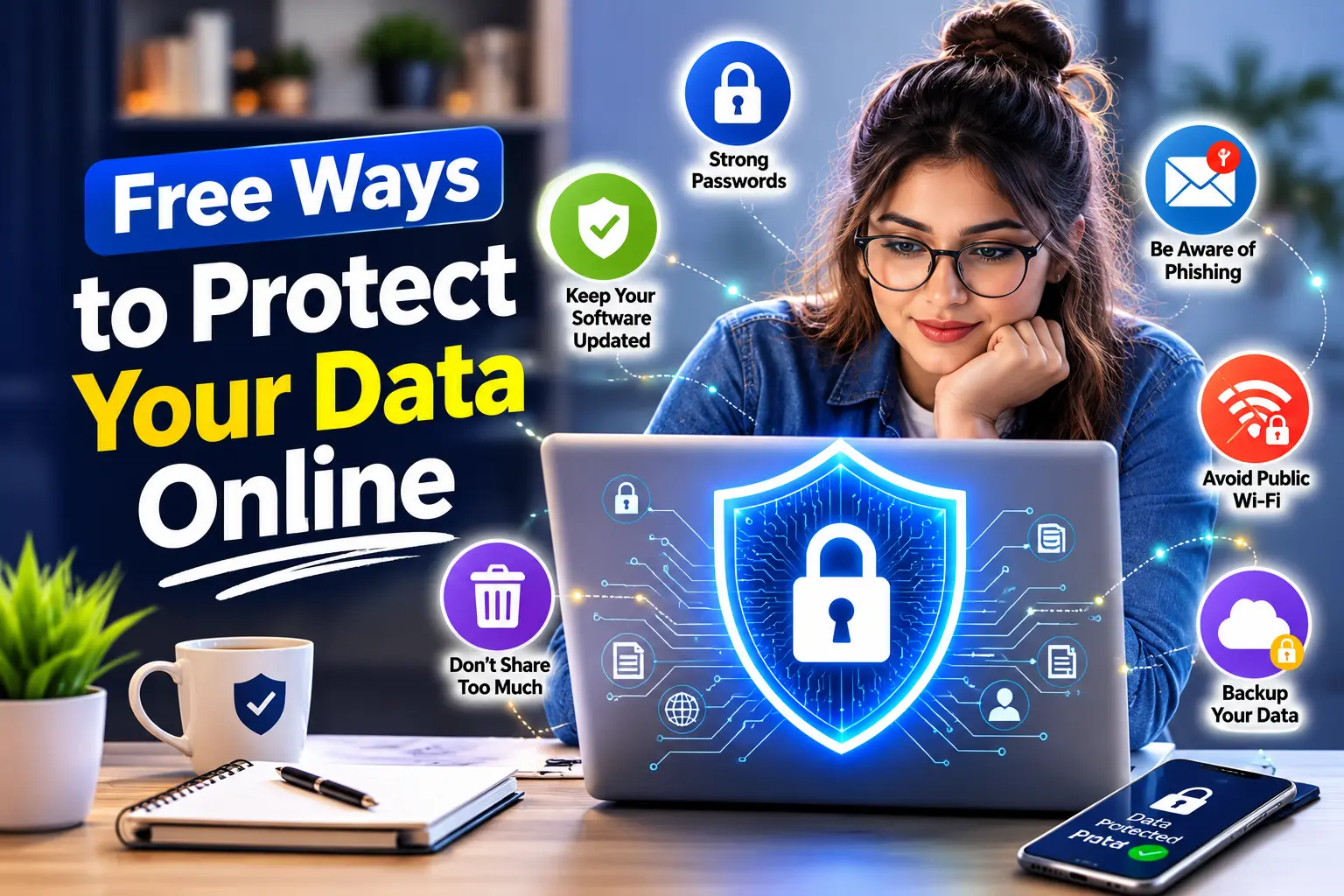
The easiest and also one of the most effective ways to protect yourself from cybercriminals is to create strong, unique passwords. Many people use one single password for all their accounts, which puts their entire digital presence in jeopardy. If one website gets hacked, so do all of your accounts. As such, your passwords should never be easily guessed; they should contain a combination of letters (both uppercase and lowercase), numbers, and symbols. You should never use names, dates of birth, or any of the many common passwords used by many people today.
It’s not necessary for you to memorize every password you create. You can safely store and generate strong passwords through the use of free password management software; one such application is called “Bitwarden.” Password managers encrypt your passwords, store them on their servers, and automatically input them into your accounts when you access them. Taking advantage of this simple tool will shield you from countless forms of cyber attack.
Two-Step Verification Everywhere Be Safe!
Of course! Two step verification is the second step of an authentication process and it is meant to keep your account secure. If someone is able to acquire your password, they still cannot access your account without passing the second step. Therefore, commonly used two-factor authentication will require a unique code sent to your mobile device or generated through an authentication app.
The majority of popular websites (e.g., Google, Facebook, Instagram, and email providers) provide this type of verification free of charge or at least at the subscription price you may want to pay for an upgrade. If possible, use an authenticator app instead of SMS due to its added security. It takes only minutes to enable this feature, but it can be a huge protection against the risk of someone taking over your account.
Think Twice About Using Free Public Wi-Fi
Although there are many benefits to using free public Wi-Fi at places like cafes, airports, and hotels, there are also significant risks associated with using unsecured or unsecured networks. Cybercriminals can monitor any data transmitted through an unsecured public network and they can also steal your credentials for logins.
If you must use a public facing Wi-Fi network, do not log into any accounts where money is involved, such as banks or emails. You should only use HTTPS websites because the connection is encrypted (meaning the data you are sending and receiving cannot be intercepted). Most web browsers will notify you of any unsecured sites. If you decide to use a VPN, you should always utilize a paid service rather than a free service. You do not have to use a VPN, but limiting the activities you perform on public networks is always a good idea.
Keep Your Software Current
Regular software updates should not be viewed simply as having new features, as many are used to repair security vulnerabilities. Outdated devices are frequently the targets of hackers, who are aware that outdated systems contain weaknesses. In addition to your computer, you should keep your browser, phones, and app software updated at all times.
When possible, turn on automatic updates to ensure your devices remain secure. Your device may have a significant gap in security that puts you at risk of already-known and preventable attacks if you do not routinely check for software updates.
Use Privacy Focused Browsers and Search Engines
Most popular browsers and search engines track user behavior to show ads. This means your online activity is recorded. You can reduce this tracking by using privacy focused tools.
Browsers like Firefox and Brave offer strong privacy controls for free. Search engines like DuckDuckGo do not track searches or build user profiles. Switching to these tools is easy and does not cost anything. It gives you more control over your online footprint.
App Permissions Control
Numerous applications request access that are not needed and are unnecessary. An application that is a flashlight doesn’t require access to your contact list; likewise, games do not require access to your location. The more information that apps accumulate from the user, the greater potential there is for abuse of this information.
Periodically review permissions on your smartphone and computer. Delete any permissions that have no value to you and remove any application that you do not use regularly. The fewer applications you have installed, the less opportunity there will be for a data leak.
Build Security Tools for Free
Basic security programs are far superior to having no security program. Windows Defender and Avast Free Antivirus are both free and provide real-time protection from the majority of security threats. Free antivirus software can also identify and remove malware, block malicious websites, and protect users against dangerous downloads.
Ensure that your computer is protected by only one antivirus program at a time. Also, always keep your antivirus software updated to allow it to recognise the newest known threats.
Make Sure to Back Up Your Data Frequently
Data Security can involve more than preventing hackers. It can also involve being ready for an event of accidents. Accidents do happen. Devices can crash. Files can become lost. Ransomware could take away your access.
Take advantage of free cloud-based options such as Google Drive or purchase affordable external drives to store your files for free. Using these storage methods allows you to back up your files so you will not have to worry about losing everything if something goes wrong.
Sign Out When You’ve Used a Shared Device
If you use a shared or public computer, always log out of your account after you finish using it. If you can, delete the history and other information from your browser. Never save your passwords on computers or devices that you don’t own.
If you forget to log out of a shared device, most websites allow you to log out of your account on all devices remotely, so check your settings to see where that option is available.
Look at Privacy Settings and Policies
Many individuals will not pay attention to their privacy settings because that is where you determine how they will be able to utilize your personal information. When utilizing a new major platform, take the time to go through all of their settings, including the ability to disable any data-sharing capabilities that you do not need, and where possible, turn off the ad customization.
You do not need to read through every word in the privacy policy, however, you should pay particular attention to privacy settings that relate to how much visibility you have on your data, who is allowed to share your data, and how secure your account is.
The Security of Your Data
You don’t need to be an expert at computers or spend thousands of dollars to secure your personal information. All you need to do is pay attention to your online habits and behaviours and make sure you’re aware of what you’re doing online.
There are several simple actions you can take to protect your information. These include using strong passwords, enabling two-step verification, being cautious while surfing the web, and managing your privacy settings.